August 22, 2026 · Hexagon Intergalactic
Filament vs Resolume Arena
Map LEDs over a photo of your rig, inspect live channel output, and mix the whole show in Filament. See how it compares with Resolume Arena and bring your existing mappings along.
The rig comes first. You connect the strips, run the power injection, get the controller on the network - and then you sit down at the laptop and pick the software that turns video into pixels on all of that. Filament and Resolume Arena both do that job.
Resolume Arena is a video mixer. It has mixed video for a large share of my shows over the past ten years and it's good at that job. It also maps LEDs: slices and fixtures laid out in Advanced Output, patched into Lumiverses, sent to Art-Net nodes. It works, but is very clunky.
Filament starts from the rig instead: a photo of your actual installation, with the mapping as the main job. I wrote it after years of mapping my own plywood artworks in Advanced Output. My own sticking points from those years:
Flashing LEDs every time you click, you can't flip and mirror a ready fixture, all artworks are scattered across different advanced output files with no supported way of copying lumiverses between xml's, pixels acting oddly due to being split between universe borders even with auto span... I could go on.
Trace it over a photo
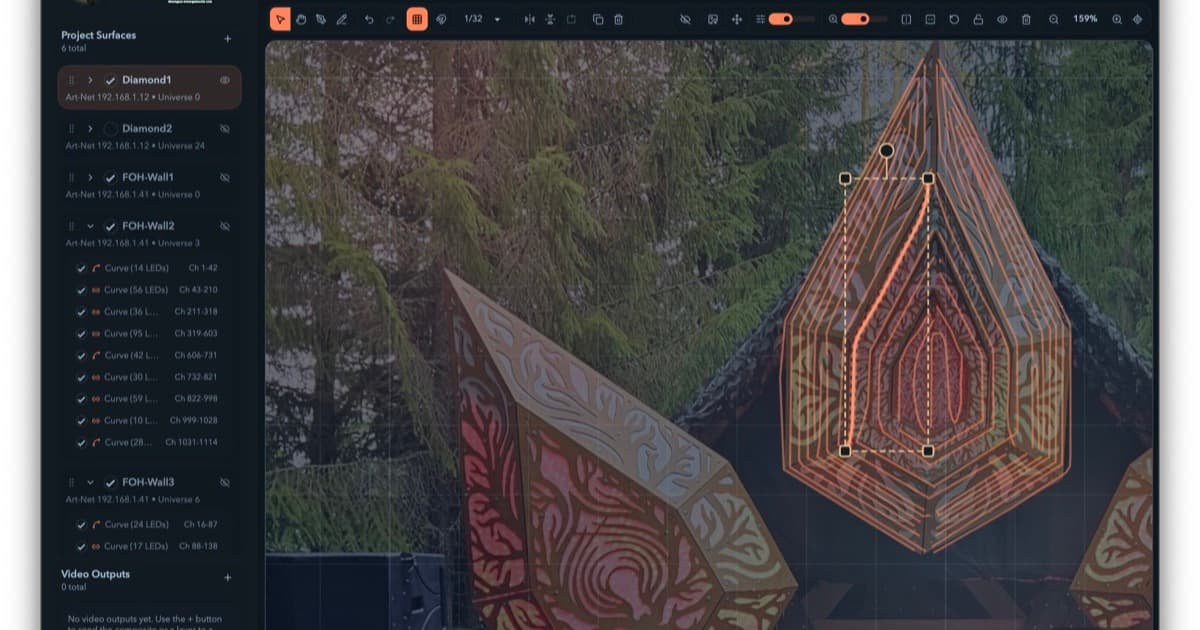
You load a photo of your actual rig behind the canvas and trace each LED run as a curve. Tell it how many pixels are on the run and which fixture type. It spaces them along the curve and assigns channels in sequence, updating the LEDs live as you draw. The dialog shows you total channels, DMX range, and universes touched while you type.
My own rigs are hand-built plywood artworks whose LED runs curve and loop and double back along laser-cut patterns. This workflow exists because of them.
Routing is per-Surface (protocol, destination, universe), with Art-Net discovery that fills in node IPs for you, live channel maps you can inspect down to the individual channel value while the show runs, and conflict detection scoped by actual output identity. Reusing universe 1 on two different nodes doesn't get flagged, because it isn't a conflict. When there is a real one, you get a clickable list that selects the culprits and scrolls you to them.
Filament and Resolume Arena, side by side
Filament brings the mapping tools I wanted into the same application as the video mixer. You get curves drawn over a photo, live channel inspection, conflict detection and a choice of pixel protocols, alongside the tools to actually perform the show.
| Filament | Resolume Arena | |
|---|---|---|
| LED layout | ⭐️⭐️⭐️ Lines, freehand and Bezier curves, reusable surface library | ⭐️ Slices and fixtures laid out in Advanced Output, patched into Lumiverses |
| Pixel protocols | ⭐️⭐️⭐️ Art-Net and sACN, selectable per Surface | ⭐️ Art-Net fixture output |
| Channel routing | ⭐️⭐️⭐️ Per-Surface universe and start channel, packing, live channel maps and conflict detection | ⭐️⭐️ Fixtures patched and sequenced in Lumiverses, routed to Art-Net nodes |
| Live video mixing | ⭐️⭐️⭐️ Clip grid with layers and effect chains | ⭐️⭐️⭐️ Clips, layers and groups with live mixing and effects |
| Projection output | ⭐️⭐️⭐️ Warp, masks and edge blending per output | ⭐️⭐️⭐️ Projection mapping, masks and edge blending |
| Audio reactivity | ⭐️⭐️⭐️ Choose a frequency band and shape the response with gain, threshold, punch, attack and release | ⭐️⭐️ FFT animation on low, mid, high or a custom range, with gain and fall |
| MIDI | ⭐️⭐️⭐️ MIDI Learn binds a hardware control directly to a parameter | ⭐️⭐️⭐️ MIDI shortcuts with absolute, relative and button modes |
| OSC | ⭐️⭐️ Fixed /filament addresses with feedback | ⭐️⭐️⭐️ Addresses, input, output and polling |
| Platforms | ⭐️⭐️⭐️ macOS, Windows and Linux | ⭐️⭐️ Windows and macOS |
Import the XML, and export it back
Filament reads and writes Resolume Advanced Output XML in both directions. Import your existing Advanced Output file and the Surfaces and fixtures come across, with a preview of exactly what will be imported. Map in Filament, and if you want Arena to keep driving the rig, File → Export XML hands the mapping back.
The export dialog shows a per-Surface conversion preview and prints an audit of everything it changed to fit Resolume's format: universes rewritten into subnet/universe form, inferred target IPs, all of it. Resolume's XML is Art-Net-shaped, so sACN Surfaces convert on the way out, after you tick a confirmation and without touching your live project, which stays sACN in the editor. It can write your fixture definitions into Resolume's fixture library alongside the XML too.
Read that audit before you load the file into Arena. Warnings don't block the export, and a Surface can come through with its target IP inferred or unresolved - unresolved means you configure that destination in Resolume after import. Then finish on the receiving end: open the mapping in Arena and check the right pixels light before show time.
Where the paywall sits, plainly: on the demo you can import, map, route, and review the export preview. Writing the XML file out is what a full license unlocks.
And if you'd rather feed Filament from your existing pipeline, it takes NDI (macOS and Windows), Syphon (macOS), or Spout (Windows) straight into a cell. Your Resolume or TouchDesigner output becomes a live source on a layer, and Filament does the LED half.
Run the whole show in Filament
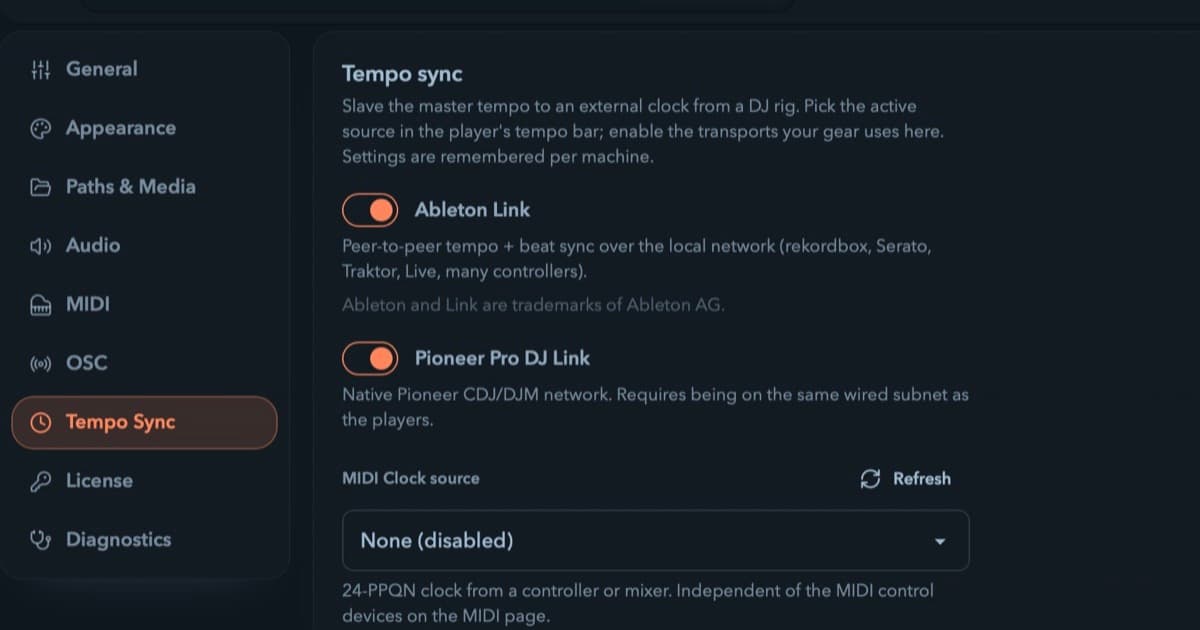
At this point I have replaced Resolume Arena completely in my setups, because Filament is also a real VJ mixer: a clip grid with layers and effect chains, a timeline for composed shows, and modulation that can drive most numeric controls - a clip parameter, an effect parameter, a master scalar like Speed or BPM. BPM-synced envelopes follow the master tempo, which you tap in by hand or hand over to Ableton Link, Pro DJ Link or MIDI Clock. Audio-reactive mappings are driven by the energy in the live input band, not the tempo clock.
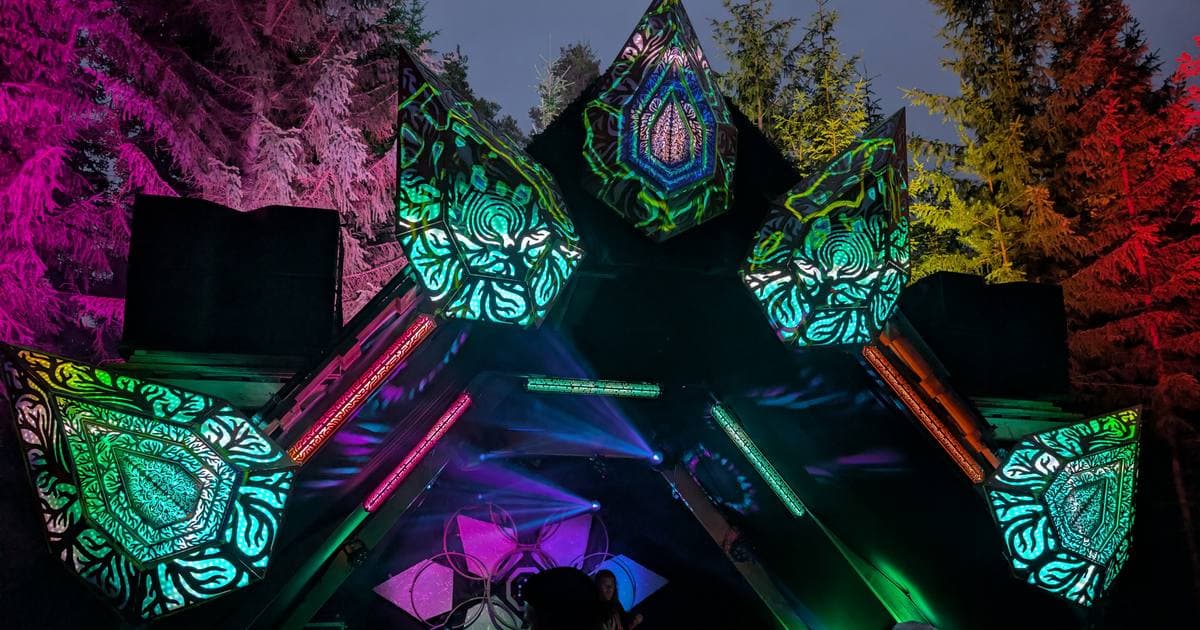
At Kosmos Festival this summer, Filament drove the LEDs on our stage.
The demo is the full editor, with no signup and no time limit. Map your actual rig against your actual controllers and judge it on your own hardware.
resolume · vjing · led-mapping